

Schemas
Schemas are reusable data structures that model the objects your API works with, such as a User, a CreateOrderRequest or a shared ErrorResponse. Define a structure once as a schema and reference it from every request body and response that needs it, instead of repeating the definition. Because schemas are standard JSON Schema, what you define here exports cleanly to OpenAPI and is understood by code generators, validators and your mock server.
Schema kinds
Every schema has one of four structural kinds:
| Kind | What it models |
|---|---|
| Object | A structured object with named properties, which is the most common kind. |
| Primitive | A string, integer, number or boolean, optionally with an enum. |
| Array | An ordered list of items. |
| Composition | A schema built from other schemas with allOf, oneOf or anyOf. |
You can switch a schema's kind at any time from the kind selector in the editor. If the switch would hide existing data such as properties, enum values or composition members, Routebase warns you first, and it offers to restore the previous state if you switch back.
Creating a schema
- Open the Schemas subsection under Components in the sidebar and click +.
- Give the schema a Name in PascalCase, such as
User,CreateUserRequestorErrorResponse, and an optional Description. - Click Create, then define the structure in the editor.
While you type the name, Routebase checks for similar existing schemas, matching on name and shared properties with a percentage score. If a likely duplicate is found, an alert offers three ways out. Use This jumps to the existing schema, View Diff compares the two side by side, and Create Anyway proceeds regardless.
Use Duplicate from a schema's … menu to start from an existing schema when two structures are similar, and double-click a schema in the list to rename it.
Editing properties (object schemas)
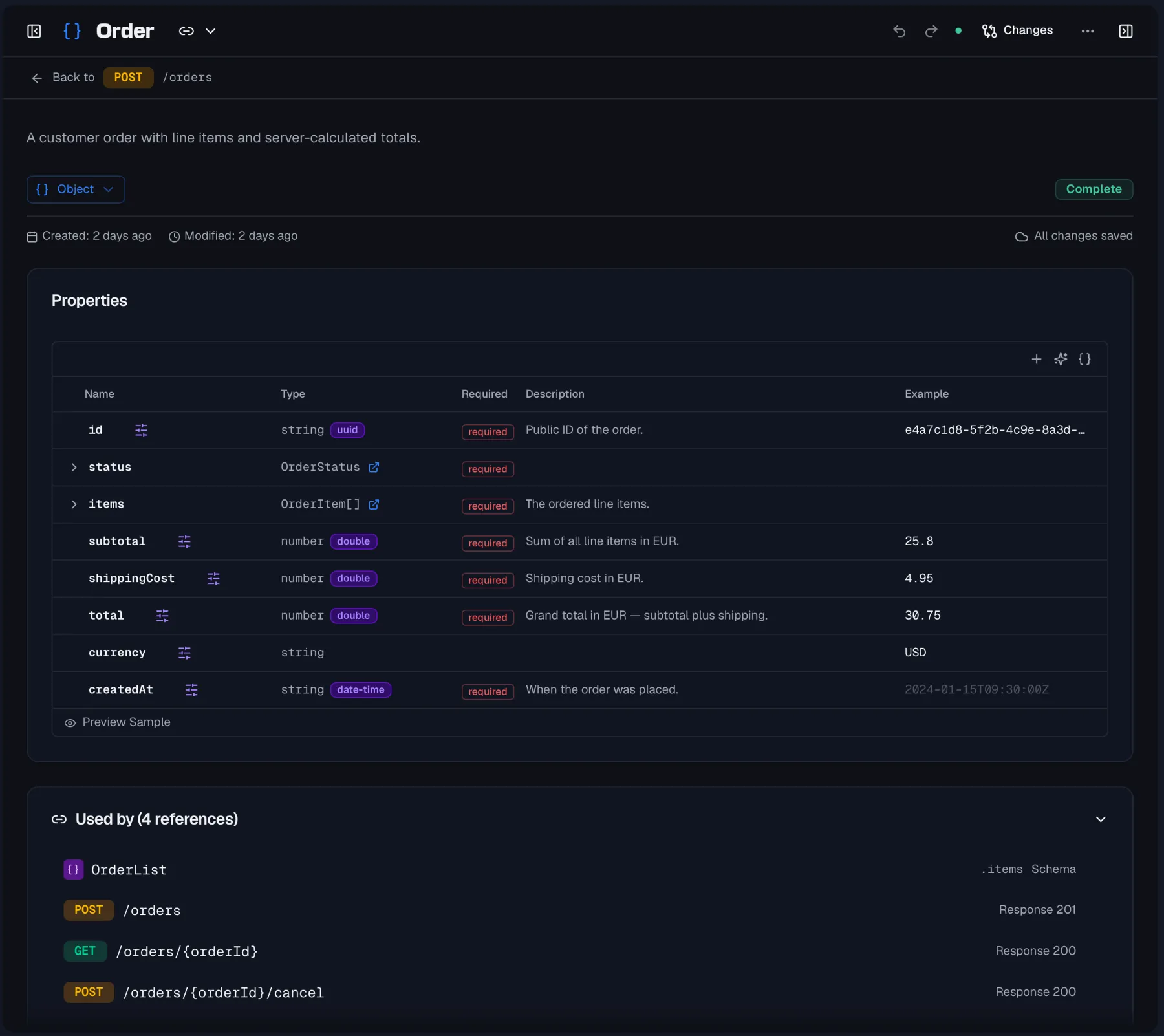
Object schemas are edited in a Properties table. Each property has:
- A Name and a Description.
- A Type, which is
string,integer,number,boolean,array,object, or a reference to another schema. The type field autocompletes both, so you type a primitive name or switch to the Reference tab to pick a schema. Array properties additionally get an Items Type, which can itself reference a schema. - An optional Format such as
email,date-timeoruuid, plus an enum value editor for enum-capable types. - A Required toggle.
Naming and explaining enum values
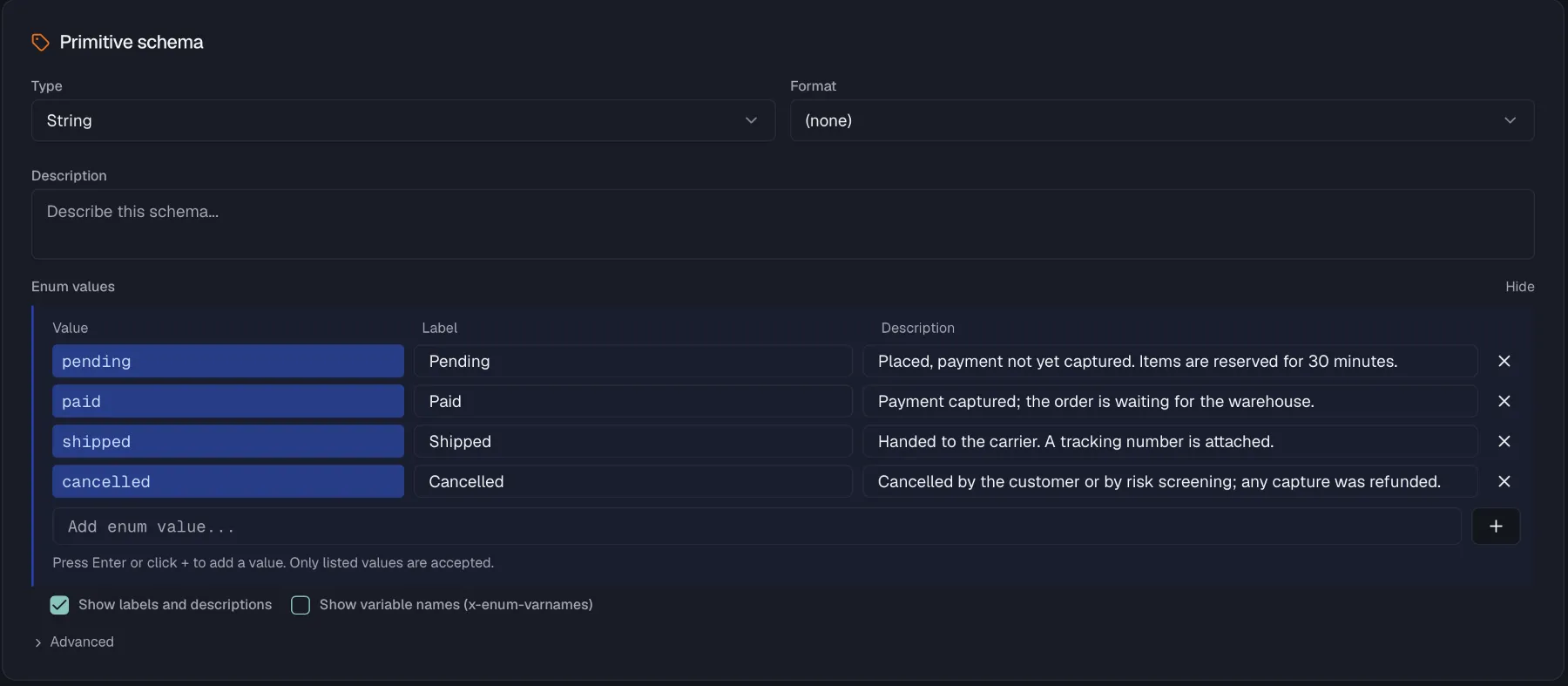
An enum value like PARTIALLY_FULFILLED carries its meaning only for the person who invented it. Each value can therefore also get a display label and a description, both optional.
They travel with the spec rather than living only in Routebase. Labels are exported as x-enumNames, descriptions as x-enumDescriptions, and the codegen-friendly x-enum-varnames is preserved on import. Your published documentation and portal show them next to the raw values, and generators that understand these extensions, NSwag among them, turn the labels into named constants instead of bare strings.
Structure the table the way you structure your data. Nested object properties expand into indented child rows, up to three levels deep, and rows can be dragged to reorder or to nest a property into an object. The right-click menu offers move, insert, nest and delete operations.
Primitive, array, and composition editors
- Primitive schemas get a type and format selector, an enum editor, and validation constraints. Strings take length limits and a regex pattern, while numbers take a minimum, a maximum and a multiple-of.
- Array schemas define their item type, which is a primitive or a schema reference, plus item-count and uniqueness constraints.
- Composition schemas choose an Operator and combine members that are either references to other schemas or inline JSON Schema fragments. The operators are
allOfwhere all members must match,oneOfwhere exactly one matches, andanyOfwhere one or more match. ForoneOfandanyOf, a discriminator editor maps a property value to the matching member schema. On an OpenAPI 3.2 specification it also offers a Default mapping, which names the schema that applies when the discriminating property is missing or carries an unmapped value, and the specification requires it whenever that property is optional.
Examples
The example panel below the properties table generates a realistic sample JSON payload from the schema, and optional properties are dimmed so readers can tell them apart. Copy it, or regenerate it after structural changes.
Where a schema is used
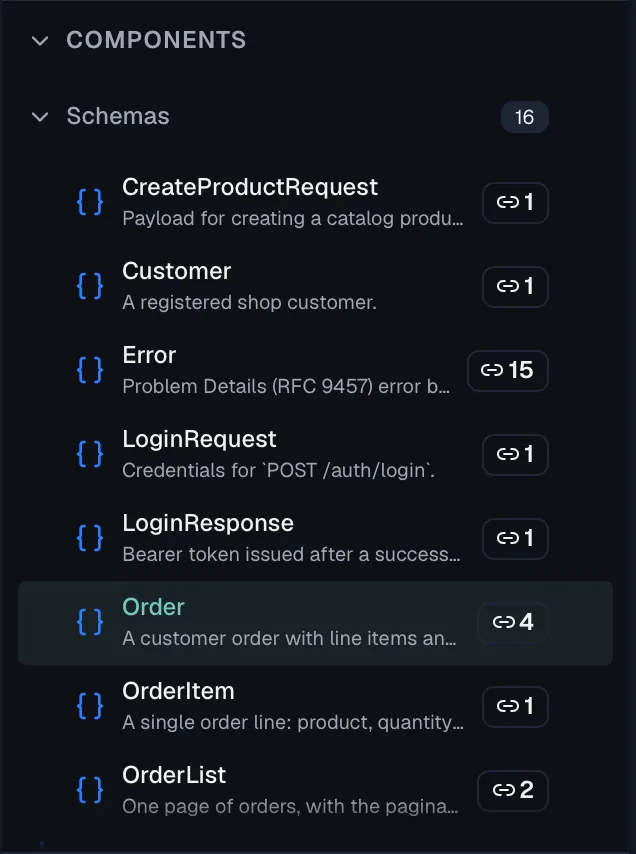
Referencing one schema from many places keeps your API consistent, because you change the User shape once and every endpoint that returns a user updates with it. Routebase shows a usage count on each schema in the list, reading "Referenced by N endpoints". A Used by section in the editor then lists every reference. That covers endpoints with their method, path and the place in the contract where the schema appears, plus other schemas that reference it and reusable components built on it. Click any entry to jump there. This helps when spotting unused definitions, or when gauging the blast radius of a change before you make it.
Referencing and extracting
Schemas are referenced from request bodies, responses, and array and property types. The fastest ways to connect them are these:
- Drag a schema from the sidebar onto a response or request body to link it as the body structure.
- Autocomplete a property's type and pick a schema from the Reference tab.
- Extract Schema to Component on an inline body turns an ad-hoc structure into a named schema and re-links the endpoint to it.
Sharing across projects
A schema that several projects depend on, such as a company-wide ErrorResponse envelope or a Money type, can be promoted via Promote to Library. That makes it available across projects, so teams build on the same definitions. Linked library schemas carry an Org or Project badge and show an update indicator when the library version moves ahead. They can accept the update or be unlinked at any time. See Shared library.
Deleting a schema
Choose Delete from a schema's … menu. The dialog warns that endpoints referencing the schema will need to be updated and that the action cannot be undone, so check the Used by section first.
Permissions
Creating and editing schemas requires specs:write, and deleting requires specs:delete, which Admins and Owners have. The Delete action is hidden for Members. Promote to Library requires specs:write. On a published, locked version schemas are read-only.
Related
- Endpoints — operations that reference schemas
- Responses — reference a schema as a response body
- Components — the other reusable building blocks
- Shared library — share schemas across projects