

Responses
Responses describe what an endpoint returns for each HTTP status code, covering the body structure, the content type, the headers and example payloads. A well-documented set of responses is what turns a bare endpoint into a usable contract.
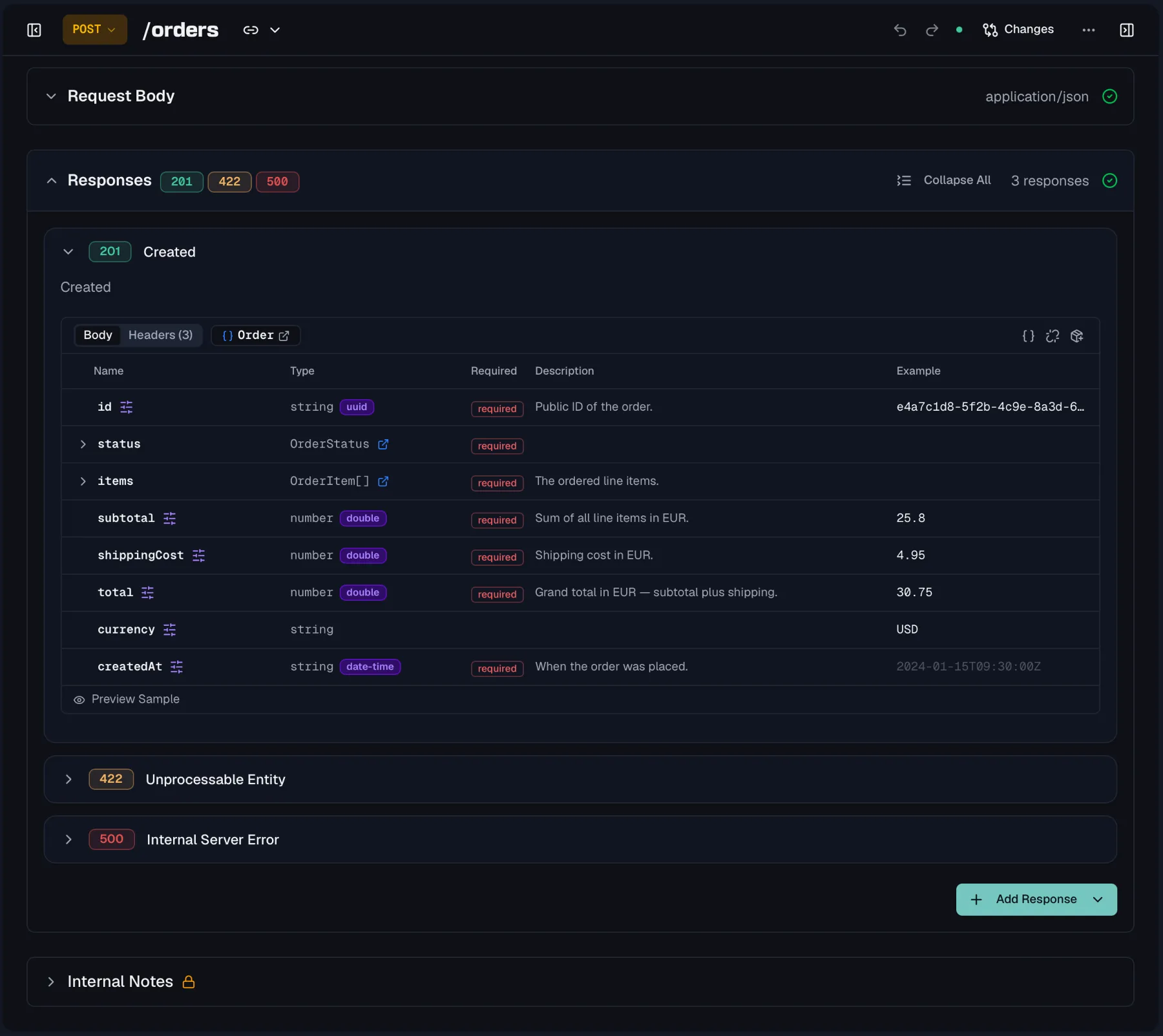
Defining a response
Each response is keyed by a status code. Routebase pre-fills a sensible description for common codes, such as "Request successful" for 200 and "Resource not found" for 404. Click the description to replace it with something specific to your API.
| Field | What it is |
|---|---|
| Status code | The HTTP status this response documents. Click the status badge to change it. |
| Description | A short explanation of when this response occurs. |
| Content type | The media type of the body, which is application/json by default. XML, form, text and binary types are also available, and so are the sequential types application/jsonl, application/x-ndjson, application/json-seq and text/event-stream. |
| Body | The structure of the response body, defined inline or referenced from a schema or a reusable response component. For a sequential content type on an OpenAPI 3.2 specification the table edits the Item schema instead, which describes one item of the stream. |
| Headers | The HTTP headers this response returns. |
| Example | A sample payload shown in your documentation and used by your mock server. |
Streaming responses
A response that streams JSON Lines, a JSON text sequence or Server-Sent Events has no single body document. OpenAPI 3.2 describes such a body with an itemSchema, the schema of one item. Pick one of the sequential content types on a specification that uses OpenAPI 3.2 and the body table shows an Item schema badge, so the properties you define apply to each item. The published documentation lists those properties under an "Each item" caption and shows a two-item sample. Specifications on OpenAPI 3.0 or 3.1 keep sequential content types without a schema, because the field does not exist there.
Adding responses quickly
Click Add Response to open the add menu. Besides picking individual codes from three template groups, the Quick Add entry scaffolds a whole set matched to the endpoint's method in one click. A GET endpoint gets 200, 401, 403, 404, 500 and a POST gets 201, 400, 401, 403, 409, 500. Click the set to customize the selection before adding.
The template groups cover the common families:
- Success Responses holds
200,201and204. - Client Errors holds
400,401,403,404,409and422. - Server Errors holds
500,502and503.
With two or more responses defined, use Expand All / Collapse All to manage the list.
Response bodies
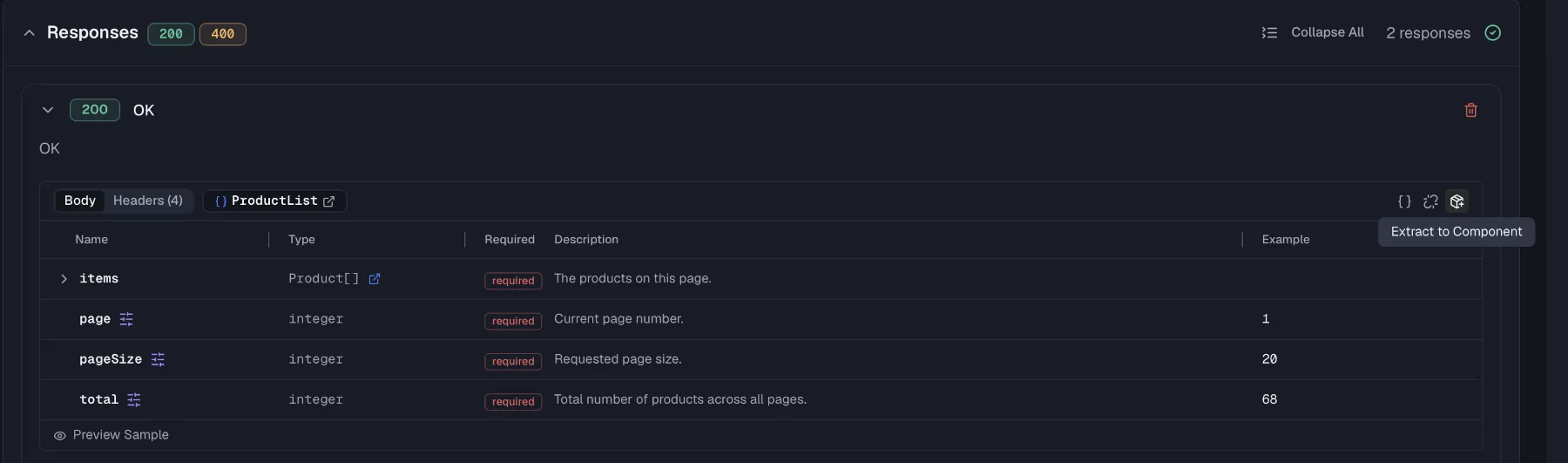
Define the body structure directly in the response card's property table, or reference a reusable definition:
- Inline bodies take properties with name, type, format and description right in the response, and they are fine for one-off shapes.
- Link a schema by dragging a schema from the sidebar onto the response card. The response then shows a schema badge, and changing the schema updates every endpoint that references it. See Schemas.
- Link a response component by dragging a reusable component such as a shared
NotFounderror response onto the responses area. It adds or replaces a response complete with its body, headers and example. See Components.
When an inline definition turns out to be reusable, extract it instead of copying it. Extract to Component turns the whole response into a reusable response component, and Extract Schema to Component turns just the inline body into a schema. In both cases the endpoint is re-linked to the new definition automatically.
Response headers
Document the headers your endpoint returns in the response's Headers tab, such as Location on a 201 or rate-limit headers. Each header has a Name, a Type (string, integer, number or boolean), a Required flag and a Description. Click Add Header to add one inline. Headers can also be linked to reusable header components so their definition stays consistent across responses.
Responses can additionally inherit headers from header policies defined at the organization, project or spec level. Inherited headers are listed beneath your own, and you can group them by level or view them flat. Each one can be overridden locally or excluded from this response, and excluded headers can be restored later.
Examples
Every structured response has an Example panel. Routebase generates a realistic sample payload from the body's properties automatically, so the example fills itself in when you open the panel. Regenerate rebuilds it after schema changes and Copy grabs it for tests or docs. You can also edit the example freely, and it is validated against the schema and used by your mock server.
A response component or a request body component on an OpenAPI 3.2 specification also takes a Serialized example below the example, which is the payload in its wire form, such as an XML document or a form-encoded string. The export writes an Example Object with the example as dataValue and the serialized form as serializedValue, and the documentation portal shows the serialized form verbatim instead of a generated sample.
Deleting a response
Click the delete icon on a response card. The confirmation dialog names the status code and warns that the action cannot be undone.
Permissions
Editing responses requires specs:write, which is included in the Member role. On a published, locked version the responses section is read-only, so create a new version to make changes. See Versioning for that flow.
Related
- Endpoints — where responses are defined
- Schemas — reusable body structures
- Components — reusable response definitions
- Header policies — headers inherited across responses
- Test suites — validate that your live API matches these responses