

Notification Defaults
Notification Defaults let your organization set the starting point for everyone's notifications. Instead of each new member deciding from scratch which categories reach them in-app or by email, admins define sensible org-wide defaults once, and every member can still override them personally.
The page lives under Settings → Notification Defaults (in the Notifications group).
How defaults and personal preferences interact
An info banner at the top of the page states the rule. It reads these defaults apply to all members who haven't set personal preferences, and members can override these defaults in their personal notification settings.
In practice:
- A member who has never touched a category follows the org default. In their personal settings, that category carries an Org default badge.
- The moment a member flips a switch for a category, their choice wins for that category, and changing the org default no longer affects them there.
- A member can hand a category back at any time with Reset to organization default in their personal notification preferences.
Setting the defaults
The page shows the same category-by-channel matrix as personal preferences, so there is one row per notification category with an In-App and an Email switch:
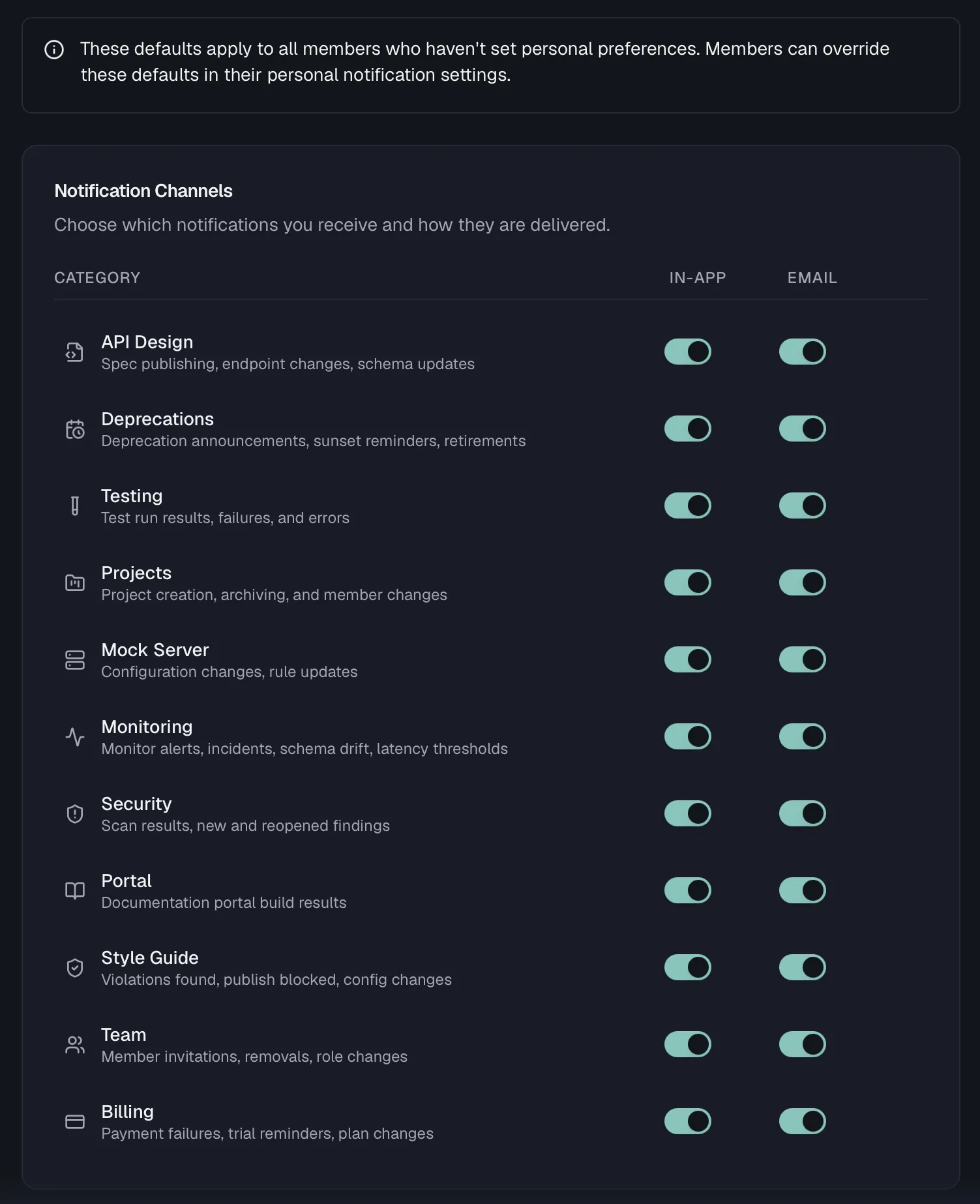
| Category | Covers |
|---|---|
| API Design | Spec publishing, endpoint changes, schema updates |
| Testing | Test run results, failures, and errors |
| Projects | Project creation, archiving, and member changes |
| Mock Server | Configuration changes, rule updates |
| Monitoring | Monitor alerts, incidents, schema drift, latency thresholds |
| Security | Scan results, new and reopened findings |
| Portal | Documentation portal build results |
| Style Guide | Violations found, publish blocked, config changes |
| Team | Member invitations, removals, role changes |
| Billing | Payment failures, trial reminders, plan changes |
| Deprecations | Deprecation announcements, sunset reminders, retirements |
Toggles save automatically, so there is no separate save button.
For example, you could turn on Email for Billing and Monitoring org-wide while leaving noisier categories like API Design in-app only. That does not touch anyone who has already chosen for themselves.
Permissions
Every member can open the page and see the current defaults. Changing a default requires the org:manage-settings permission, which Admins and Owners hold by default.
Related
- Notifications — the notification center and personal preferences
- Webhooks — deliver events to external systems instead of people
- Roles & Permissions — who holds org:manage-settings
- Organization — other organization-wide settings