

Audit Log
The audit log gives Admins and Owners a chronological record of security-relevant activity across the organization, covering who signed in, who changed a role, who revealed a secret variable, and more. You'll find it under Settings → Audit Log, in the Security group of the settings sidebar, described as "Track security events, secret variable access, and API changes across your organization."
The audit log is available on the Pro plan and up, so on lower plans the page shows an upgrade card. Viewing it requires the org:manage-members permission, which Admins and Owners have.
The page has three tabs, named Security, Variables and API Changes.
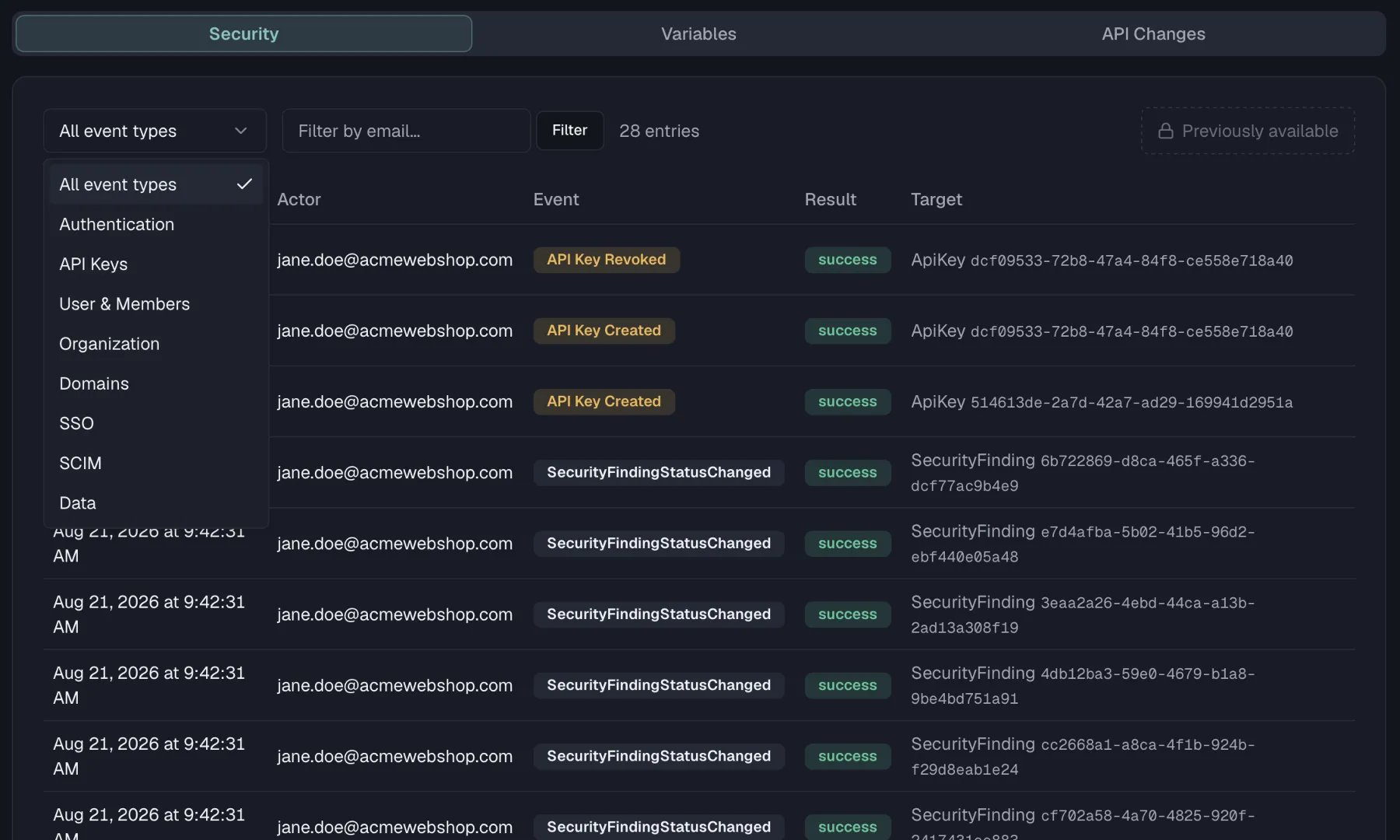
Security tab
The Security tab lists organization-wide security events in a table with five columns. They are Time, Actor with the user's email, Event, Result with success or failure, and Target with the affected entity where applicable.
Events are grouped into eight categories:
| Category | Events |
|---|---|
| Authentication | Login, Logout, Token Refresh |
| API Keys | API Key Created, API Key Revoked, API Key Used |
| User & Members | User Invited, User Removed, User Onboarded, Role Changed, Member Left |
| Organization | Org Created, Org Updated, Org Deleted |
| Domains | Domain Added, Domain Verified, Domain Verification Failed, Domain Removed, Domain SSO Enforced, Domain SSO Unenforced |
| SSO | Single sign-on configuration and sign-in events |
| SCIM | Directory-sync provisioning events |
| Data | Data Export, Data Import |
Filtering
- Event type is the dropdown at the top, which filters to one of the eight categories or to All event types.
- Actor email works by typing an email into Filter by email... and clicking Filter, or pressing Enter, to see only that user's activity.
The entry count next to the filters shows how many events match. Results are paginated at 25 entries per page with Previous/Next buttons. If nothing matches your filters, the table shows "No entries match the selected filters."
Export
On the Enterprise plan an Export button sits at the end of the filter row. It downloads the currently filtered Security events, meaning the same event-type and actor-email filters you have applied, as either Export as CSV or Export as JSON. The file is named audit-logs-<date>.<format>. On lower plans the button is hidden.
Variables tab
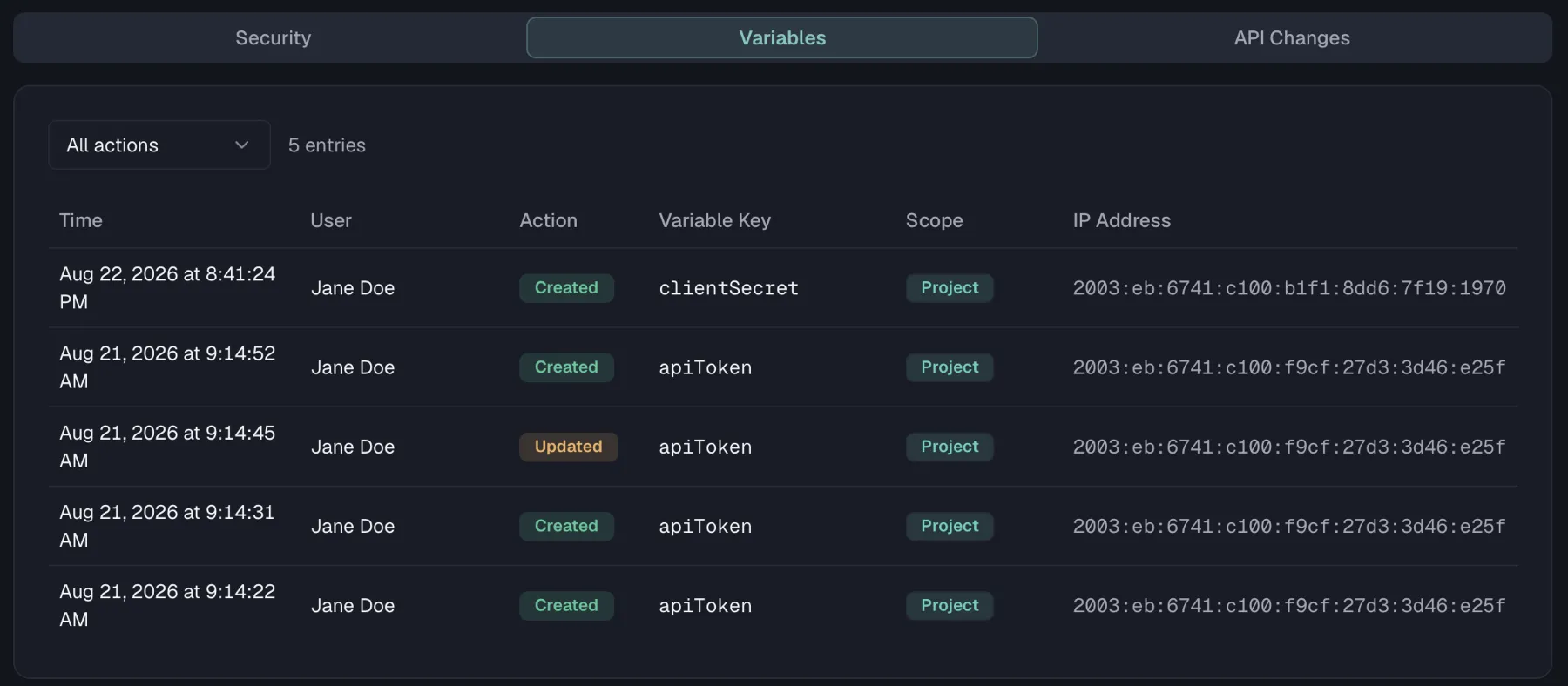
The Variables tab is a dedicated trail for secret variable operations, which answers who saw a credential and when. Each row shows the Time, User, Action, Variable Key, Scope, and the IP Address the request came from.
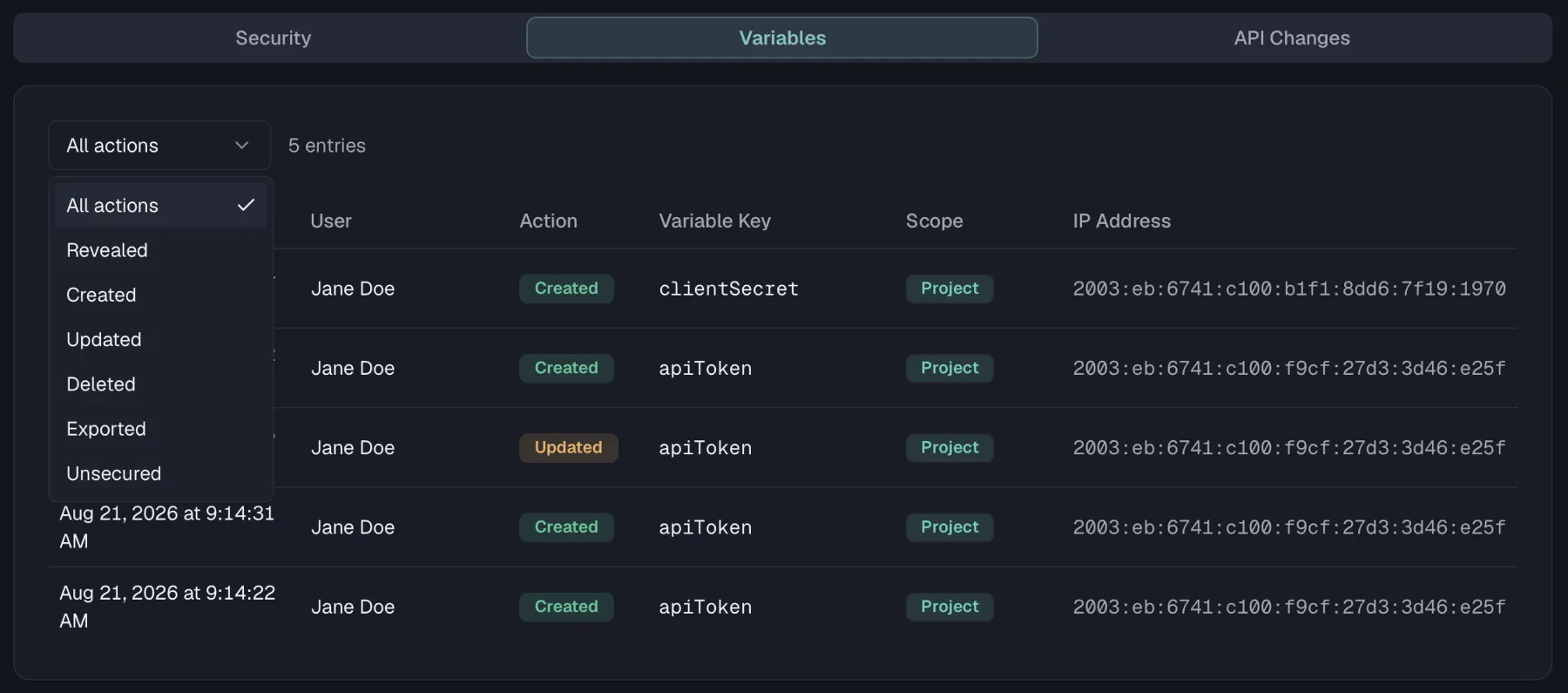
Six actions are recorded:
| Action | Logged when someone... |
|---|---|
| Revealed | displays a secret variable's value in the UI |
| Created | creates a secret variable |
| Updated | changes a secret variable |
| Unsecured | turns off a variable's secret flag, so its value is plain text from then on |
| Deleted | deletes a secret variable |
| Exported | exports data containing secret variables |
Unsecured is highlighted in red in the list, because it is the one action that changes how a value is protected rather than just who has seen it. It is recorded for all three scopes, which are organization, project (environment) and personal variables.
The Scope column tells you where the variable lives, either Organization, Project or Personal. Use the action dropdown to filter to a single action type. Pagination works the same as on the Security tab, at 25 entries per page. See Variables for how secret variables work.
API Changes tab
The API Changes tab is the design history of your API specifications, so it answers who changed an endpoint or a schema and what they touched. This tab needs the specs:read permission instead of org:manage-members, and all three built-in roles hold it. A custom role without specs:read sees the other two tabs only.
The card is titled Audit Trail and carries the total number of entries next to the title. Every specification in your organization feeds it, with the newest change at the top. Each row names the action, the entity type and the specification the change happened in, then the person who made it and how long ago.
What gets recorded
| Entity type | Recorded actions |
|---|---|
| Endpoint | created, updated, moved to another folder, deleted and restored, plus the finer edits such as parameter.added, response.updated, response-header.linked, request-body.added and security-scheme.added |
| Schema | created, updated, deleted and restored |
| SpecVersion | published and deprecated |
| ApiSpecification | endpoints.reordered and tags.reordered |
| DeprecationPlan | force_advance_deprecation, written when someone advances a deprecation phase by hand |
Importing a specification records one entry for every endpoint and schema it creates, and merging a branch records the changes it carries into the target. Five actions get a colored icon, which are created in green, updated in blue, deleted in red, published in purple and deprecated in amber. Every other action shows a neutral document icon.
Reading a single change
Click a row to open its detail popover. It repeats the action, the entity type, the specification and the full timestamp, names the actor again, and shows the first eight characters of the changed entity's ID. Where the change carried them, the popover adds Changed Fields: with one badge per field and a Details: block holding the raw JSON that was recorded.
Who made the change
A badge behind the actor name marks every change that did not come from someone working in the browser:
- API key means the change arrived over the REST API with an API key, and the tooltip names that key.
- MCP means an AI agent made the change through the MCP server, and the tooltip names the key where the agent authenticated with one.
An interactive edit carries no badge, and neither do entries written before this marking existed. If the person behind a change has since deleted their account, the actor reads Deleted user, because the entry itself stays.
Filtering and paging
The dropdown in the card header filters by entity type and offers All Types, Endpoint, Schema, Version and Folder. The tab shows 20 entries at a time, and Load more... moves on to the next 20.
Retention
How long Security events are kept before the automatic cleanup removes them depends on your plan:
| Plan | Retention |
|---|---|
| Free, Starter, Pro | 30 days |
| Enterprise | 365 days |
A note below the table restates it as "Entries older than {n} days are deleted automatically based on your plan.", where {n} matches your current plan.
The other two tabs do not follow the plan. Secret variable entries and API change entries are kept for 365 days on every plan. A nightly cleanup at 03:00 UTC removes whatever is past its age on all three trails.
Troubleshooting
- The Folder filter on API Changes stays empty. Folder changes are not written to this trail, so that option returns nothing. Moving an endpoint into another folder is recorded on the endpoint as
moved, so filter by Endpoint to find it.
Related
- Variables — the secret variables the Variables tab tracks
- API Keys — key creation, revocation, and usage all appear in the log
- Members & Invitations — membership changes recorded as User & Members events
- Single Sign-On — enforce how the sign-ins in this log happen
- Deprecation — the deprecation phases that show up as API changes