

Import & Export
Routebase is not a place your API contract gets locked into. An OpenAPI file goes in, an OpenAPI file comes out, and the same is true for Postman and Insomnia collections on the way in. This page covers both directions.
Importing
Where to import
There are two entry points, and they do not accept the same formats:
| Entry point | Where | Accepts |
|---|---|---|
| Import OpenAPI | The dashboard, and the project list | OpenAPI only |
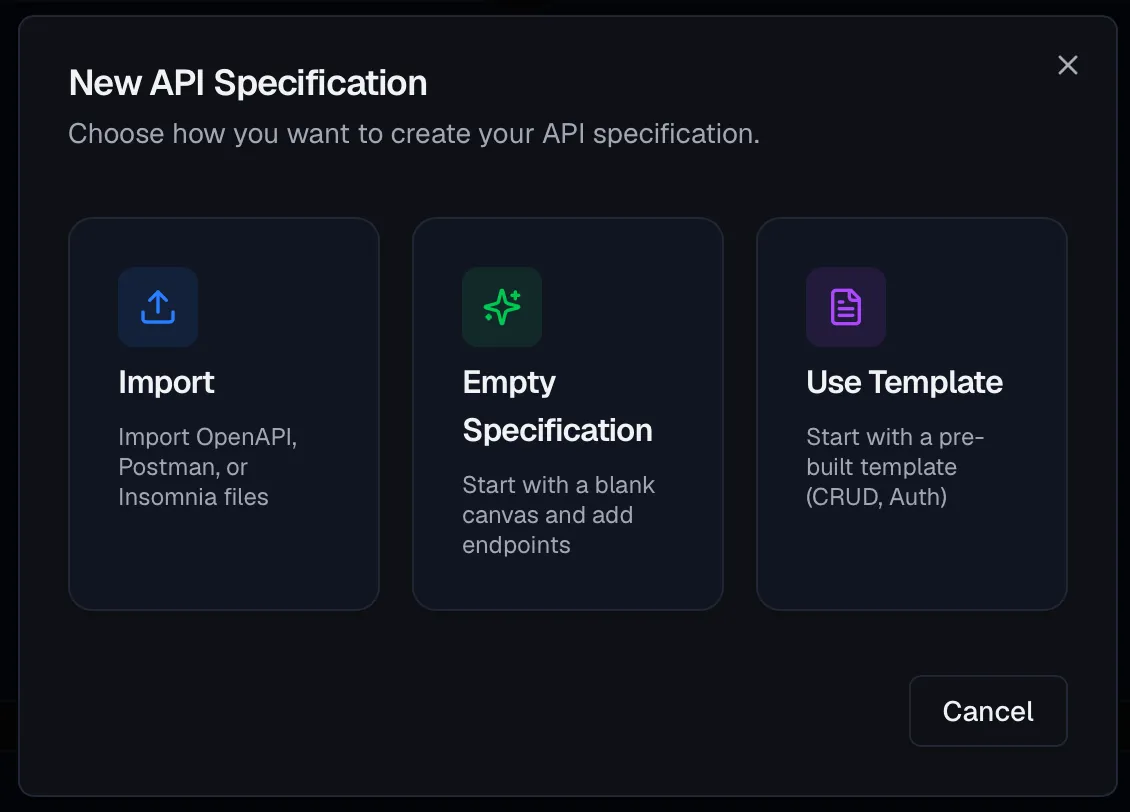
| Import in the specification wizard | Inside a project, when you create a specification | OpenAPI, Postman Collection, Insomnia Export |
The dashboard route creates the project, the specification and the environments in one go, which is the fastest path when you are starting from an existing file. If you are holding a Postman or Insomnia export, take the second route and create the project first, then import the collection through the specification wizard.
Both accept .yaml, .yml, and .json.
The import preview
Before anything is created, Routebase validates the file and shows you what it found. The preview counts endpoints, folders and schemas, splitting the schemas into the ones it could link and the ones that stay inline. It also lists the reusable components it recognized, which are responses, request bodies, parameters, security schemes and, on a 3.2 file, media types. Warnings appear here too rather than after the fact. A property that the OpenAPI specification does not define at that location is listed as a warning with its location and left out, so the rest of the file still imports. Typical cases are a logo field inside info or minItems on a query parameter. A $ref that points to another file is handled by its position. Parameters, responses, request bodies, headers and security schemes that live in a file outside the upload are listed as warnings and left out. A schema reference to another file stays a reference in the imported schema, so the endpoint itself still imports. An OpenAPI 3.2 file keeps its version, and the designer imports its query operations, its tag hierarchy, the itemSchema of sequential media types, its querystring parameters, the cookie parameter style, the deprecated flag, oauth2MetadataUrl and deviceAuthorization flow of its security schemes, the reusable media types under components.mediaTypes together with every $ref that points at them, the document's $self URI, the dataValue and serializedValue of Example Objects, the defaultMapping of a discriminator and the nodeType of an XML object. A named examples map is read through its first entry on every version, because the designer keeps one example per place. Constructs the designer does not model yet, such as itemEncoding or prefixEncoding, appear as warnings with their location in the document.
Read the preview before you confirm. It is the cheapest moment to notice that a file contains half of what you expected.
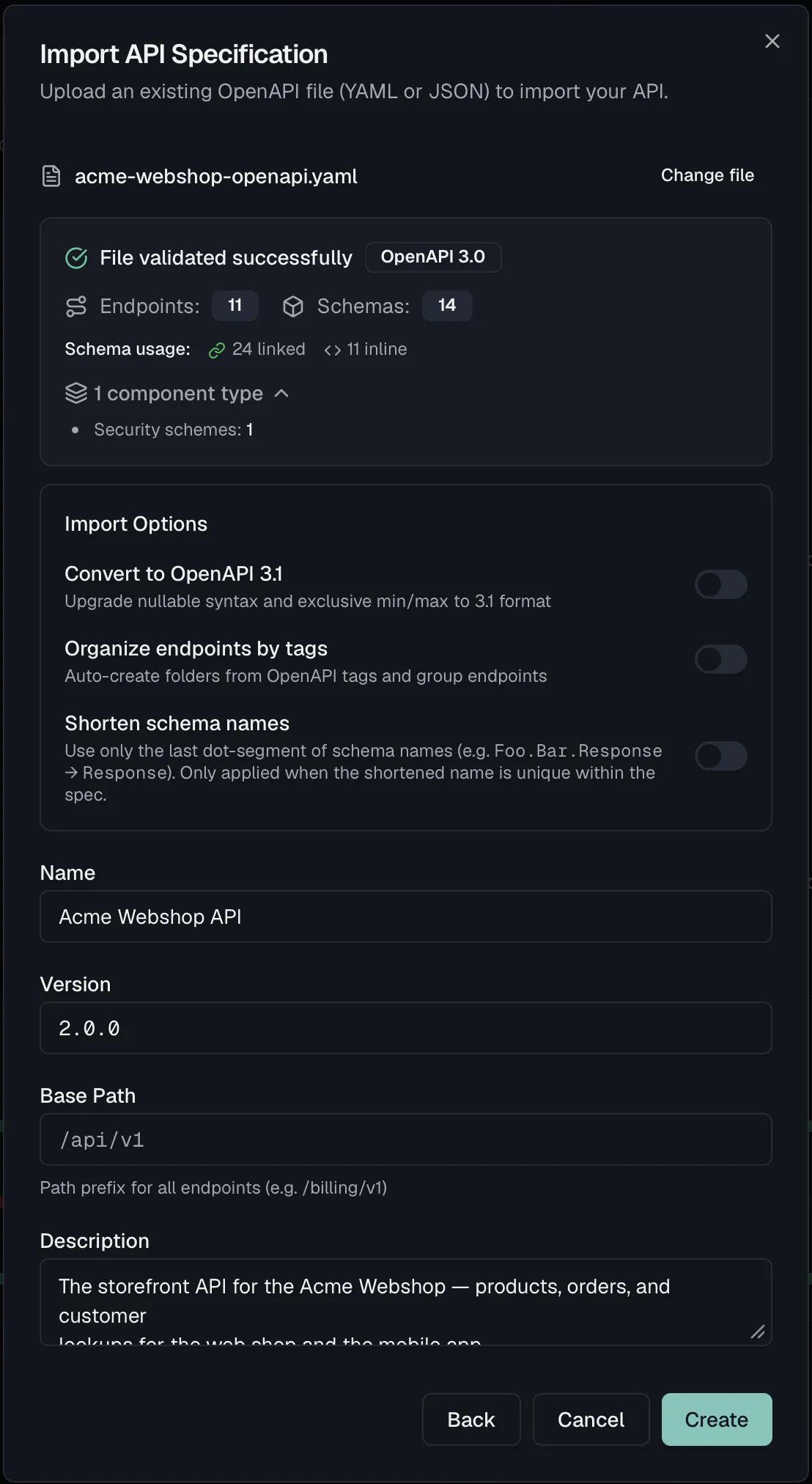
Import options
| Option | Default | What it does |
|---|---|---|
| Convert to OpenAPI 3.1 | off | Only offered for OpenAPI 3.0 files. Upgrades nullable syntax and exclusive min/max to the 3.1 form. |
| Organize endpoints by tags | on from the dashboard, off in the wizard | Creates folders from the OpenAPI tags and groups endpoints into them. For a Postman collection it follows the folder structure instead, and for an Insomnia export it follows the request groups. |
| Shorten schema names | off | Keeps only the last dot-segment of a schema name, so Foo.Bar.Response becomes Response, and only where the short name stays unique within the spec. |
Turning on Shorten schema names reveals a follow-up choice that matters more than it looks, especially for specs generated from .NET or Java:
- Keep original names internally stores the full namespaced names alongside the short ones. Take this if you will re-import the file or diff against it later.
- Discard namespaces permanently does not keep the original names. Later comparisons against the source file will report every schema as renamed.
Importing from Postman or Insomnia
Collections describe requests, not contracts. There is no schema in a Postman collection, only example bodies. Routebase therefore infers schemas from the examples it finds and says so plainly with "Schemas were inferred from example data and may be incomplete."
Treat an inferred schema as a first draft. A field that happened to be null in the example will be typed from that, and a field absent from the example does not exist at all. The import gets you a structured starting point in minutes, but the contract is still yours to finish.
When validation fails
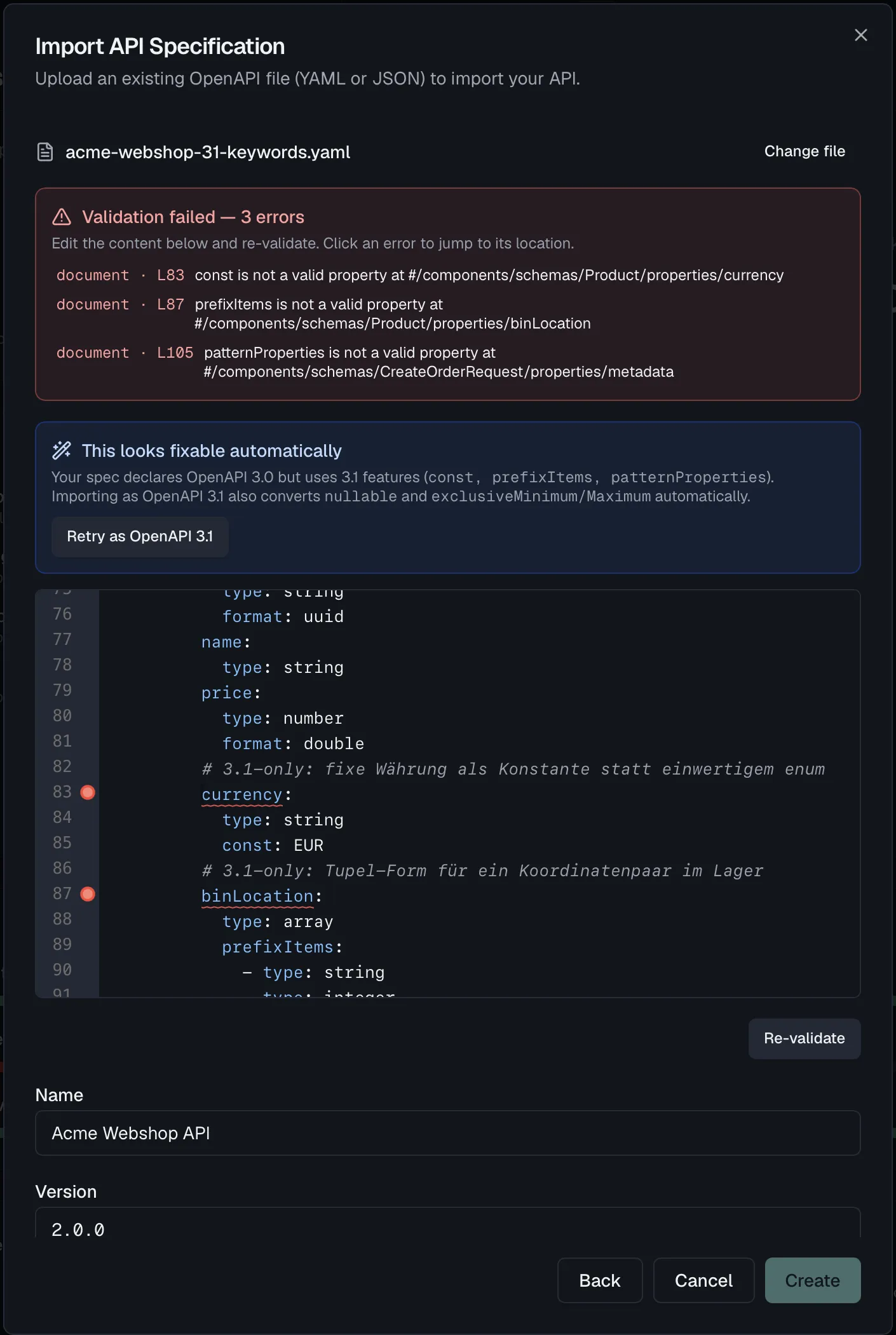
You do not have to leave and re-upload. The wizard shows a Validation failed — N errors panel that lists every error above an inline editor with the offending lines highlighted. The panel reads "Edit the content below and re-validate. Click an error to jump to its location." Fix the file in place and click Re-validate.
When the failure is a recognizable class, a one-click fix appears. The common case is a spec that declares OpenAPI 3.0 but uses 3.1-only keywords. Routebase offers "This looks fixable automatically" with a Retry as OpenAPI 3.1 button instead of making you find every occurrence by hand.
Exporting
Every frozen version can be downloaded in four formats:
| Format | Use |
|---|---|
| YAML | The usual OpenAPI form, readable in review and friendly to version control. |
| JSON | The same document for tools that prefer JSON. |
| Postman | A collection your consumers can open and call straight away. |
| Insomnia | The same, for Insomnia. |
Exports need a frozen snapshot. The download buttons appear once a version is actually frozen. A promotion into an environment that does not freeze leaves the version a draft, and a draft has no snapshot to export. This is deliberate, because an export is a copy of a contract, and a contract that can still change underneath the file you handed out is not one.
You reach the exports from the release receipt of the Release Version wizard, and from the version itself afterwards.
What travels with the export
The export is a complete OpenAPI document, not a Routebase-flavored one. Tag descriptions, enum labels and per-value descriptions (x-enumNames, x-enumDescriptions), deprecation metadata and your reusable components are all in the file. A generator on the other side therefore produces the same names and the same documentation your portal shows. A schema example is written as the singular example on a 3.0 document and as the JSON Schema examples list on 3.1 and 3.2, which is the form those versions recommend.
Permissions
Importing creates a specification and requires specs:write, included in the Member role. Exporting requires specs:read.
Related
- API Design Settings — the specification wizard and per-spec settings
- Versioning — freezing a version, which is what makes it exportable
- Endpoints — what you work with after the import
- Schemas — including enum labels and how they export
- Getting Started — the path from an existing file to a first project